Checking One at a Time
Linear Search: Check Every One
Imagine you have 10 cards face-down, numbered 1 through 10, shuffled into random order.
You want to find the card with the number 7.
You flip cards one at a time, left to right, until you find it.
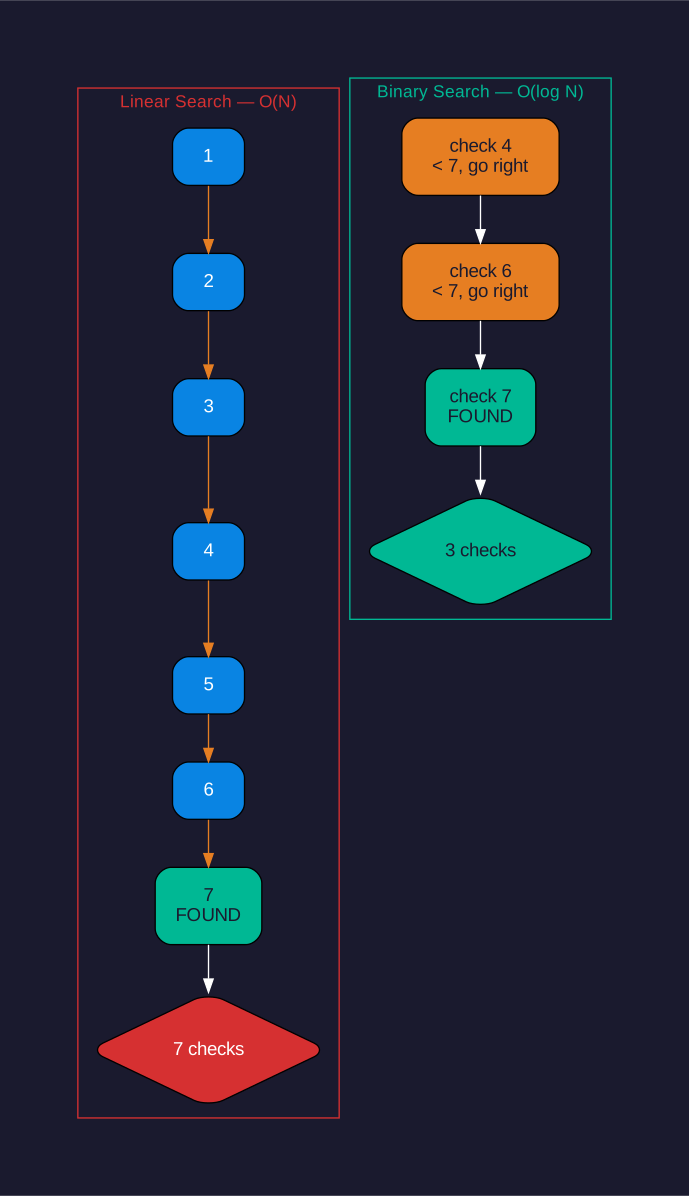
| Scenario | Flips needed |
|---|---|
| Best case | 1 flip (lucky first try!) |
| Worst case | 10 flips (it was the last card) |
| Average | about 5 flips |
Now imagine 100 cards. Average: about 50 flips.
1,000 cards? Average: about 500 flips.
See the pattern? Double the cards, double the work. The work grows in a straight line.
Computer scientists call this linear search — linear means the work grows like a line: steady & predictable.
Linear search works on ANY list, sorted or not. That makes it simple. But it can get slow.
How Many Names?
You have a class list of 20 names written in random order.
You need to find the name Zoe.
You check names one at a time, from the top of the list down.
Cut the List in Half
Binary Search: Jump to the Middle
Binary search has one rule: the list must be sorted first.
If your list of 20 names goes A to Z, you can use binary search.
How it works: open to the middle name (name #10). Ask: is Zoe before or after this name?
Z comes near the end of the alphabet, so Zoe comes AFTER the middle. Throw away the first half. Now you have only names 11-20 left.
Check the middle of those 10 names (name #15). Z comes after M, so Zoe comes after name #15. Throw away names 11-14. Now you have names 16-20.
Keep cutting in half. Each check removes half the remaining names.
| List size | Max checks with binary search |
|---|---|
| 20 names | at most 5 checks |
| 1,000 names | at most 10 checks |
| 1,000,000 names | at most 20 checks |
Compare that to linear search on 1,000,000 names: an average of 500,000 checks.
Binary search cuts the list in half each time. Cutting in half repeatedly reaches 1 very quickly — that is why it stays so fast.
Find 'fig' in a Sorted List
Here is a sorted list of 8 words:
1. apple 2. banana 3. cherry 4. date 5. elderberry 6. fig 7. grape 8. honeydew
You want to find fig using binary search.
Remember: check the middle, ask if your target comes before or after, then cut the list in half.
Swapping Neighbors into Order
Bubble Sort: Compare Neighbors & Swap
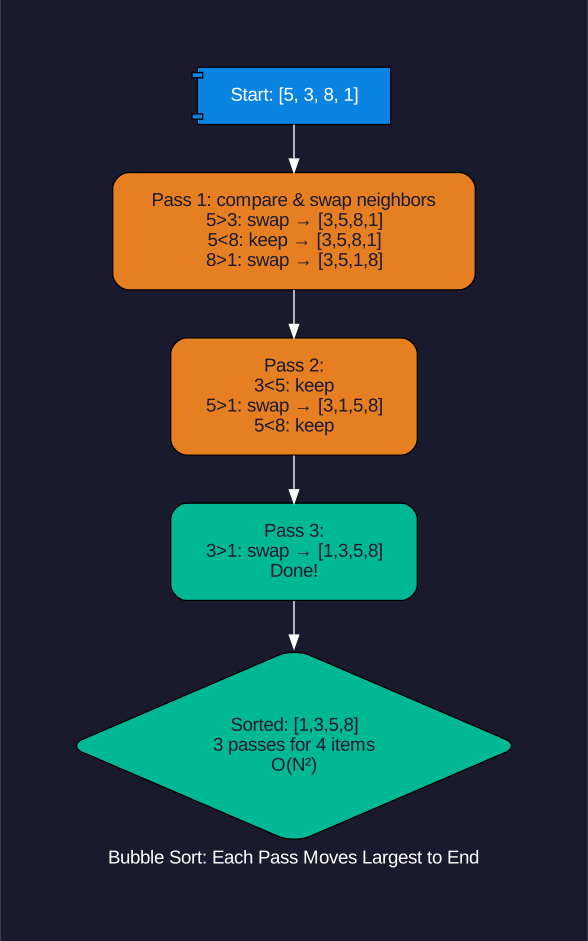
Bubble sort puts a list in order by comparing two neighboring items at a time.
If two neighbors are out of order — swap them.
Keep making passes through the list until nothing needs swapping.
Example: sort [5, 3, 8, 1]
Pass 1:
- Compare 5 & 3. 5 > 3, so swap → [3, 5, 8, 1]
- Compare 5 & 8. 5 < 8, no swap → [3, 5, 8, 1]
- Compare 8 & 1. 8 > 1, so swap → [3, 5, 1, 8]
Pass 2:
- Compare 3 & 5. OK → [3, 5, 1, 8]
- Compare 5 & 1. 5 > 1, swap → [3, 1, 5, 8]
- Compare 5 & 8. OK → [3, 1, 5, 8]
Pass 3:
- Compare 3 & 1. 3 > 1, swap → [1, 3, 5, 8]
- Compare 3 & 5. OK. Compare 5 & 8. OK.
Done! [1, 3, 5, 8] ✓
Notice: the biggest number bubbles to the end of the list on each pass. That is how bubble sort gets its name.
Bubble sort works. It is not the fastest for big lists, but it is easy to understand — perfect for learning.
Sort [4, 2, 7, 1] with Bubble Sort
Sort this list using bubble sort: [4, 2, 7, 1]
Show the list after each pass. Count how many passes it takes to finish.