Welcome
Welcome to your first Python lesson.
Python is one of the most popular programming languages in the world. Scientists, engineers, artists, & students use it every day.
In this lesson you will write real Python code and run it instantly. Your code executes on a real server: not a simulation.
Let's start with the most famous program in all of computing.
Hello, World!
Your first program
Every programmer's journey begins with the same two words: Hello, World!
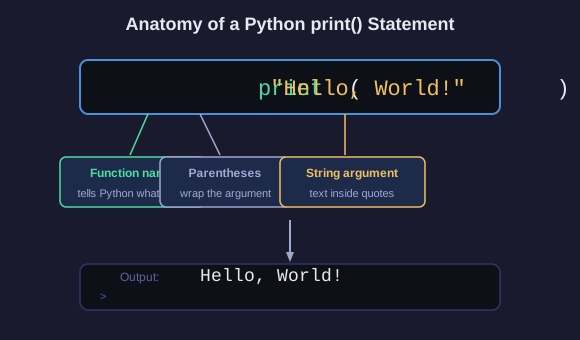
In Python, you print text to the screen using the print() function:
print("Hello, World!")
That's it. One line. The quotes tell Python it's text (called a string). The print() function sends it to the screen.
What Are Variables?
Variables: giving names to values
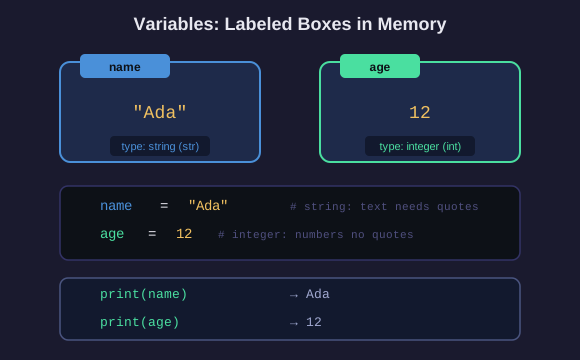
A variable is a name that holds a value. Think of it like a labeled box.
name = "Ada"
age = 12
print(name) : prints: Ada
print(age) : prints: 12
The = sign means assign: put the value on the right into the name on the left.
Text goes in quotes (a string). Numbers do not need quotes (an integer).
Create Variables
Your turn
Create two variables & print them:
1. A variable called animal set to your favorite animal
2. A variable called count set to how many legs it has
3. Print both variables
Example output (yours will be different):
cat
4
Combining Strings
String concatenation
You can join strings together with +:
greeting = "Hello" + " " + "World"
print(greeting) : prints: Hello World
f-strings (formatted strings)
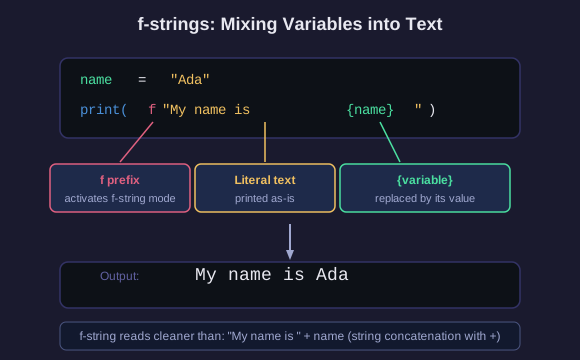
A better way to mix variables into text:
name = "Ada"
print(f"My name is {name}") : prints: My name is Ada
The f before the quote activates f-string mode. Inside the string, {variable} gets replaced with the variable's value.
f-string Practice
Your turn
Create two variables:
- food: your favorite food (a string)
- rating: how much you like it from 1 to 10 (an integer)
Then use an f-string to print:
I love pizza! I rate it 9 out of 10.
(with your own food & rating)
If / Else
Making decisions
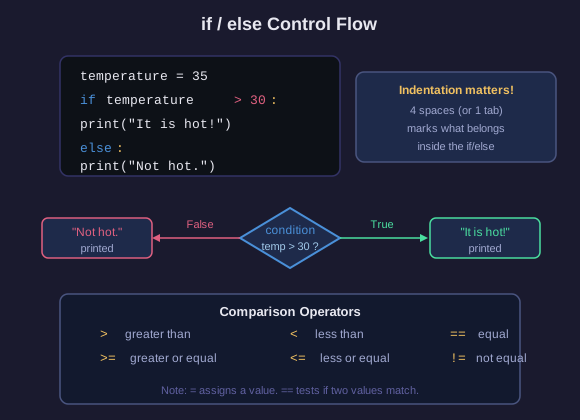
Programs can make choices using if & else:
temperature = 35
if temperature > 30:
print("It is hot!")
else:
print("It is not hot.")
The indented code under if only runs when the condition is True.
The code under else runs when it is False.
Comparison operators: > (greater), < (less), == (equal), != (not equal), >=, <=
If/Else Challenge
Your turn
Write a program that:
1. Creates a variable score set to any number
2. If score is 60 or above, prints Pass
3. Otherwise, prints Fail
Put It Together
Final challenge
You now know: print(), variables, f-strings, & if/else.
Combine them all in one program.
Write a program that:
1. Creates a variable name (a name, a string)
2. Creates a variable age (an age, an integer)
3. If age is 13 or older, prints: Welcome, [name]! You may enter.
4. Otherwise, prints: Sorry, [name]. You must be 13 to enter.
Use an f-string for the output.